%20copy-01_edited.jpg)
Commercial Moving Services: Top Texas Guide 2026
You've signed the new lease, told employees where the new office will be, and started wondering whether the move can happen without bringing business operations to a halt. The desks are obvious. The hidden workload is everything connected to them: servers, monitors, records, access badges, loading docks, freight elevators, parking restrictions, network cutovers, and the hours when your team can afford to be offline.
That's why commercial moving services should be treated as an operational project, not a larger version of a household move. The lowest quote may cover the lifting and transportation while leaving IT disconnection, storage, building access, and post-move setup to your staff. A better plan defines the full scope before anyone loads a truck.
Table of Contents
What Commercial Moving Services Actually Cover - The service has three working parts
Specialty Items and Office Equipment Protection - Match the protection to the item - Reassembly is part of protection
Scheduling Move Windows to Minimize Downtime - Build the window around dependencies - Keep the move visible
Pricing Models and Hidden Cost Traps - Compare the quote line by line
How to Choose the Right Commercial Mover - Use the estimate as an interview
Next Steps for a Smoother Office Relocation - Use a working checklist - Make move day boring
What Commercial Moving Services Actually Cover
A commercial move begins with a site assessment, not a stack of boxes. A project coordinator typically reviews the inventory, floor plans, building rules, parking conditions, elevator access, loading areas, move dates, and the order in which departments need to become operational. That assessment separates a manageable relocation from a move that loses hours to avoidable waiting.
The modern commercial moving industry is commonly traced to 1891, when John and Martin Bekins founded Bekins Van Lines in Sioux City, Iowa, an early milestone in professionalizing business moving. Competition changed sharply after the Motor Carrier Act of 1980 and its effect on the moving industry, which deregulated household-goods moving and contributed to a rapid expansion in the number of moving companies. The practical lesson is simple: experience and documented processes matter more than a company merely calling itself a commercial mover.
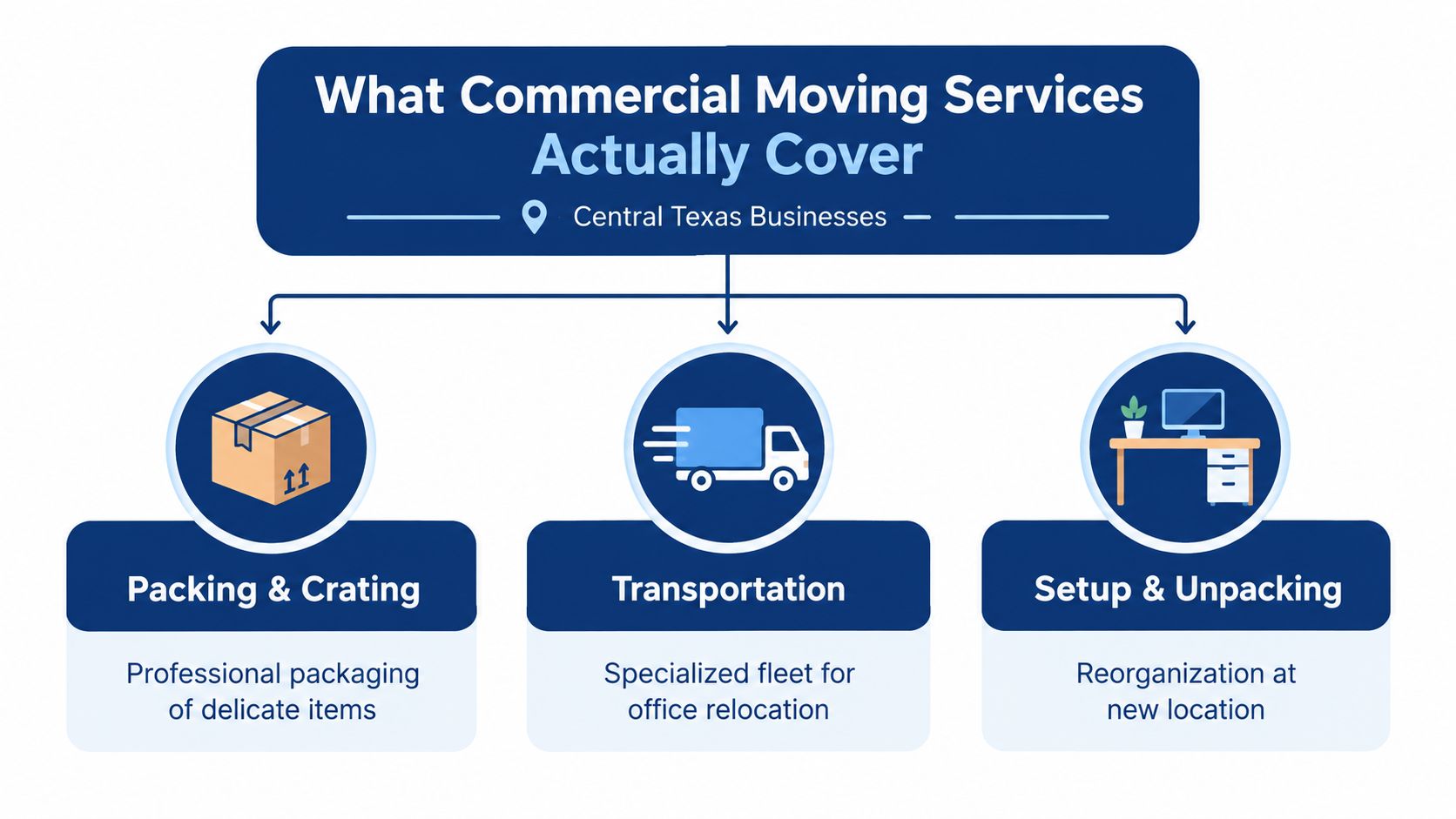
The service has three working parts
A complete relocation usually combines:
Packing and crating: Crews wrap furniture, label cartons by room or department, and build additional protection for fragile equipment, artwork, antiques, safes, or unusual items.
Transportation: Movers load in a planned sequence, protect floors and door frames, secure the cargo, and coordinate the route and arrival window.
Setup and unpacking: Furniture is placed according to the new floor plan, workstations are reassembled, and designated items are positioned for IT and facilities teams.
A good scope also distinguishes what the moving crew will and won't do. Movers may disassemble modular desks, transport file cabinets, load sensitive equipment, and place items in assigned rooms. Your IT team may still need to shut down servers, disconnect network hardware, back up data, and approve reconnection. Put those boundaries in writing.
For Central Texas offices, access planning deserves the same attention as packing. A narrow parking area, a reserved freight elevator, stairs at the old location, or a loading dock shared with other tenants can change the labor sequence and the move window. Ask the coordinator to document these constraints during the estimate, and use professional packing services when your employees can't safely or consistently prepare the inventory.
Practical rule: If a quote doesn't identify who handles packing, disconnection, access coordination, setup, and debris removal, it isn't a complete scope.
Specialty Items and Office Equipment Protection
Office equipment fails in ways that ordinary furniture doesn't. A desk can arrive with a scuff and remain usable. A server, monitor, copier, piano, safe, or archival cabinet can become unusable after one hard impact, an electrostatic discharge, or exposure to damaging heat and humidity.
The main technical risks are shock, static discharge, and environmental exposure. Professional handling should match the item rather than applying the same blanket method to everything. Screens and computers need padded protection. Servers and network equipment need secure, upright packing with cables and components documented. Sensitive hardware may require climate-controlled transport when heat or humidity could affect electronics or data-bearing devices.
Match the protection to the item
A practical inventory marks specialty items before packing begins:
Servers and network equipment: Have IT shut down and disconnect the equipment. Photograph connections, label both ends of cables, and use anti-static wrapping with padded crates or heavy cushioning.
Monitors and desktop computers: Prevent lateral pressure against screens, keep units stable, and label each workstation so the correct equipment returns to the correct employee or department.
Safes and heavy appliances: Confirm weight, dimensions, floor conditions, door widths, and equipment requirements before moving day. A heavy object can create an access problem even when the route appears clear.
Antiques and sensitive records: Use appropriate wrapping, controlled handling, and an inventory trail. Don't mix confidential files with general cartons without a clear custody process.
Pianos and unusual assets: Identify them during the walk-through. Their size, weight, finish, and balance require a different plan from standard office furniture.

The label should tell the crew more than “Office.” Use a department, destination room, workstation or asset identifier, and handling instruction where appropriate. Maintain a matching inventory so a missing cable, monitor, or file cabinet can be identified without searching every carton.
Reassembly is part of protection
The move isn't successful when the equipment reaches the new address. It's successful when the equipment is in the right place and the business can use it. IT should bring servers and network gear online in a controlled order, then test shared devices and workstations before employees return.
That sequence reduces reconnection mistakes because the team isn't trying to identify unlabeled cables while a department waits to work. For businesses with sensitive assets, compare a mover's specialty-handling procedures, insurance documentation, and crew experience with the actual inventory, not with general promises about care. A provider that routinely handles specialty items can still need detailed instructions from your IT and facilities teams, so treat coordination as shared responsibility.
Scheduling Move Windows to Minimize Downtime
Downtime is usually the part of a commercial relocation that makes office managers nervous, and for good reason. A move can consume 800 to 1,000 employee hours for small and midsize firms, according to the source discussing commercial relocation disruption and move-management technology. Those hours include packing, waiting for access, answering questions, reconnecting equipment, and correcting placement errors, not just time spent in transit.
Start by defining the operational minimum. Which departments must remain available? Which systems must be online first? Can customer support, finance, or sales work remotely while facilities and IT complete the physical transition? The answers determine whether you need a full-stop move or a phased relocation.
Build the window around dependencies
Use a sequence that follows how the office works:
Map dependencies: List the systems, equipment, people, and vendors each department needs before it can operate.
Choose the transition model: A full-stop move can be efficient when the office is compact and the IT cutover is straightforward. A phased move suits teams that can relocate in groups or work from separate locations during the transition.
Reserve access: Confirm freight elevator bookings, dock access, parking arrangements, building permits, security procedures, and loading rules at both properties.
Schedule the cutover: Coordinate IT shutdown, transport, installation, testing, and reopening as one chain. Don't let the moving crew's arrival time exist separately from the network team's availability.
Create a fallback: Identify where essential staff will work if an elevator is delayed, a workstation arrives late, or a network test fails.
After-hours and weekend moves can reduce disruption, but they can also add labor premiums and create fatigue for employees responsible for IT, security, or facilities. They work best when the building has confirmed access and the team has a written handoff plan. A late-night move without a responsible decision-maker on site just moves the confusion to a less convenient hour.
Keep the move visible
Use a shared schedule with owners, dependencies, and status updates. Real-time tracking can help management see whether loading, transport, and delivery are on sequence, but software can't fix an incomplete inventory or an unreserved freight elevator. Assign one person to make decisions on move day and give that person authority to approve substitutions, reroute deliveries, or escalate building problems.
Commercial relocation is a significant global business, and a market report on corporate office relocation services projects growth from USD 11.11 billion in 2026 to USD 15.02 billion by 2035, with a projected 3.41% CAGR. The scale of the market doesn't make an individual move easier. Your continuity plan still needs to account for the specific people, systems, access rules, and deadlines at your locations.
Pricing Models and Hidden Cost Traps
Commercial moving quotes often begin with a square-foot estimate, an hourly labor model, or a project price based on an inventory and site visit. Office relocations are commonly estimated at roughly $2 to $8 per square foot, but that range is only a starting point because commercial office relocation cost factors can change the total substantially.
Physical labor may represent only 15% to 25% of total relocation spend, while IT, legal work, storage, and fit-out costs can take a larger share. Labor for a standard commercial move is also often modeled at approximately $100 to $200 per employee, but neither figure tells you what your final invoice will be unless the scope explains what's included.
Compare the quote line by line
Cost Driver | Why It Increases Total Spend |
|---|---|
Inventory volume and density | More desks, equipment, records, and packed items require additional labor, materials, vehicle space, or trips. |
IT disconnection and reconnection | Servers, network hardware, phones, monitors, and cabling require coordination beyond ordinary loading. |
Packing and specialty crating | Fragile, high-value, oversized, or static-sensitive items need additional materials and handling time. |
Building access | Freight elevators, loading docks, stairs, restricted parking, and long carries slow the crew and can alter labor needs. |
Storage and phased delivery | Temporary storage adds handling, transport, inventory control, and a second delivery sequence. |
Move timing | Nights, weekends, lease deadlines, and narrow access windows can require premium scheduling or extra crew capacity. |
Post-move setup | Furniture reassembly, placement changes, debris removal, and support after delivery extend the project beyond transportation. |
A low quote often looks attractive because it excludes work your staff assumed was included. Ask whether the estimate covers packing materials, furniture disassembly, floor and wall protection, elevator or dock coordination, travel, storage handling, IT support, reconnection, setup, and additional labor if access changes.
Ask before signing: “What event would cause this price to increase, and how will you obtain approval before that work begins?”
The biggest cost increases often happen nonlinearly. A larger office, denser equipment layout, difficult access route, or shorter downtime window can require more than a proportional increase in labor because the crew must work in tighter sequences and meet more dependencies. Request a written allowance or change-order process for each uncertain item. That makes a higher but complete quote easier to compare with a lower quote that leaves major tasks outside the contract.
How to Choose the Right Commercial Mover
The right mover understands that your office is a working system. Start with the inventory and move plan, then test each candidate against the risks identified during the walk-through. A company that handles residential furniture well may not have the coordination process your servers, records, access rules, or lease deadline require.
Ask for proof of licensing and insurance, but don't stop there. Confirm that the coverage and procedures are appropriate for business equipment, specialty items, and the buildings involved. Request references or customer feedback from comparable commercial relocations, and ask how the crew documents inventory, labels destinations, protects property, and reports exceptions.
Use the estimate as an interview
A serious commercial mover should be able to explain:
Who coordinates the project: You need a named contact who can work with leadership, IT, facilities, building management, and the crew.
What the crew handles: Clarify packing, disassembly, loading, transportation, placement, reassembly, unpacking, and removal of materials.
How access is confirmed: Ask who reserves elevators, coordinates loading docks, checks parking limits, and verifies property rules.
How sensitive equipment is treated: Discuss anti-static materials, padded crates, upright transport, climate control where appropriate, and chain-of-custody documentation.
How price changes are approved: A transparent quote should identify exclusions, hourly assumptions, access surcharges, storage terms, and change-order procedures.
How problems are escalated: Find out who makes decisions if equipment is missing, a building window changes, or the planned route becomes unavailable.
No-obligation estimates are useful when they're based on a real inventory review rather than a quick guess over the phone. Provide floor plans, destination details, equipment requirements, access restrictions, and the intended schedule so each provider prices the same work.
Choose the quote that gives you the clearest operational picture, not automatically the lowest number. A professional crew, direct support channel, documented scope, and credible handling plan can prevent the much larger cost of a delayed opening or damaged equipment.
Next Steps for a Smoother Office Relocation
A nervous office manager usually doesn't need more optimism. They need to know what happens next, who owns each task, and which details can create a surprise invoice or an extra day of disruption. The move becomes easier to control when you turn those unknowns into written decisions.
Begin with an inventory that reflects how the business operates. Record desks, chairs, cabinets, files, printers, monitors, servers, network equipment, phones, appliances, specialty items, and anything being discarded or replaced. Add the destination room or department, handling requirement, owner, and whether IT or facilities must approve the item.
Use a working checklist
Name one project owner: Give one person authority to coordinate leadership, departments, IT, facilities, building management, and the moving crew.
Map IT dependencies: Identify what must shut down first, what must be transported securely, what comes back online first, and which systems require testing before employees return.
Separate move tasks from business tasks: Movers can transport and place assets. Department leaders may still need to pack confidential files, approve disposal, communicate schedules, and prepare employees.
Confirm both buildings: Document freight elevators, docks, parking, stairs, door widths, security rules, loading restrictions, and required reservations.
Select the move model: Decide whether the office needs a full-stop transition, department-by-department phasing, or temporary storage between locations.
Set the reopening standard: Define what “ready” means. It may include a working network, tested printers, assigned desks, accessible records, stocked supplies, and a facilities sign-off.
Review the quote: Check labor, packing, equipment handling, access, storage, setup, overtime, travel, materials, and change-order language before approving the project.
Prepare a contingency: Decide where critical employees work if access is delayed, equipment arrives out of sequence, or the IT cutover takes longer than planned.
Make move day boring
Boring is a useful standard for a commercial relocation. It means the crew knows where each item goes, the building has approved access, IT has the right equipment and labels, and decision-makers aren't discovering the plan while boxes are on the truck.
A move coordinator should maintain a live status list for loading, delivery, room placement, specialty items, missing assets, damage reports, and unresolved access issues. Department leaders should check their areas against the inventory instead of opening random cartons. IT should test critical systems in the agreed order, then release workstations to employees as they become usable.
For larger or phased relocations, storage can provide flexibility, but it adds another custody and delivery stage. Only store items that have a clear destination and release plan. Otherwise, the company pays to move uncertainty from one building to another.
The same discipline applies to employee communication. Give each department a packing deadline, labeling rule, move window, first-day location, and contact for problems. Employees shouldn't decide individually whether a monitor travels in a personal vehicle, whether confidential files go into an unlabeled carton, or whether a workstation can be left behind.
Before requesting an estimate, gather the asset list, floor plans, building contacts, desired move windows, specialty-item details, storage requirements, and IT responsibilities. Then use the commercial moving quote form to provide enough information for a meaningful scope rather than a vague square-foot guess.
A well-managed relocation protects more than furniture. It preserves access to the systems, records, equipment, and people that make the business function. When you plan those dependencies early and compare full-scope estimates, professional handling becomes a way to control operational risk, not just a way to hire extra hands.
Webster Moving Co. offers commercial relocations, packing, storage, and specialty-item handling for businesses across Greater Austin and Central Texas. Visit Webster Moving Co. to discuss your inventory, access constraints, move window, and the support your office needs to reopen with less disruption.
Comments