%20copy-01_edited.jpg)
Office Relocation Checklist: 10 Steps for 2026
An office can be physically ready and still lose productive hours on the first day. Employees may arrive without access cards, the network may not be live, equipment ownership may be unclear, and customers may still be sending documents to the old address. Those failures rarely come from the truck. They come from disconnected decisions made by facilities, IT, HR, finance, legal, vendors, and building management.
This office relocation checklist treats the move as a continuity plan for a working business. It follows the operational order that matters, from scope and vendor decisions through IT cutovers, access coordination, department packing, move-day control, and post-move verification. A full office relocation can take 6 to 18 months, while infrastructure planning often begins 8 to 12 weeks before move day, according to this office relocation planning guide. The right schedule depends on the lease, fit-out, technology, staffing, and complexity of the destination.
Webster Moving Co. is one relevant option for commercial relocation, packing, specialty handling, and storage or POD moves across Greater Austin and Central Texas. Use a mover for the physical work, but keep business continuity under internal ownership.
Operational rule: Every task needs one owner, one deadline, and one confirmation that the task is complete.
Table of Contents
1. Create a Moving Timeline and Checklist - Build one source of truth
2. Obtain Written Moving Estimates and Compare Quotes - Compare scope, not just price
4. Book Professional Movers and Confirm Details - Give the mover operational detail
5. Plan IT, Utilities, and Service Cutovers - Build a cutover runbook
7. Create an Inventory and Document High-Value Assets - Keep critical records separate
8. Notify Employees, Clients, Vendors, and Building Management - Use audience-specific messages
9. Arrange Parking and Access for Moving Day - Prepare a fallback route
1. Create a Moving Timeline and Checklist
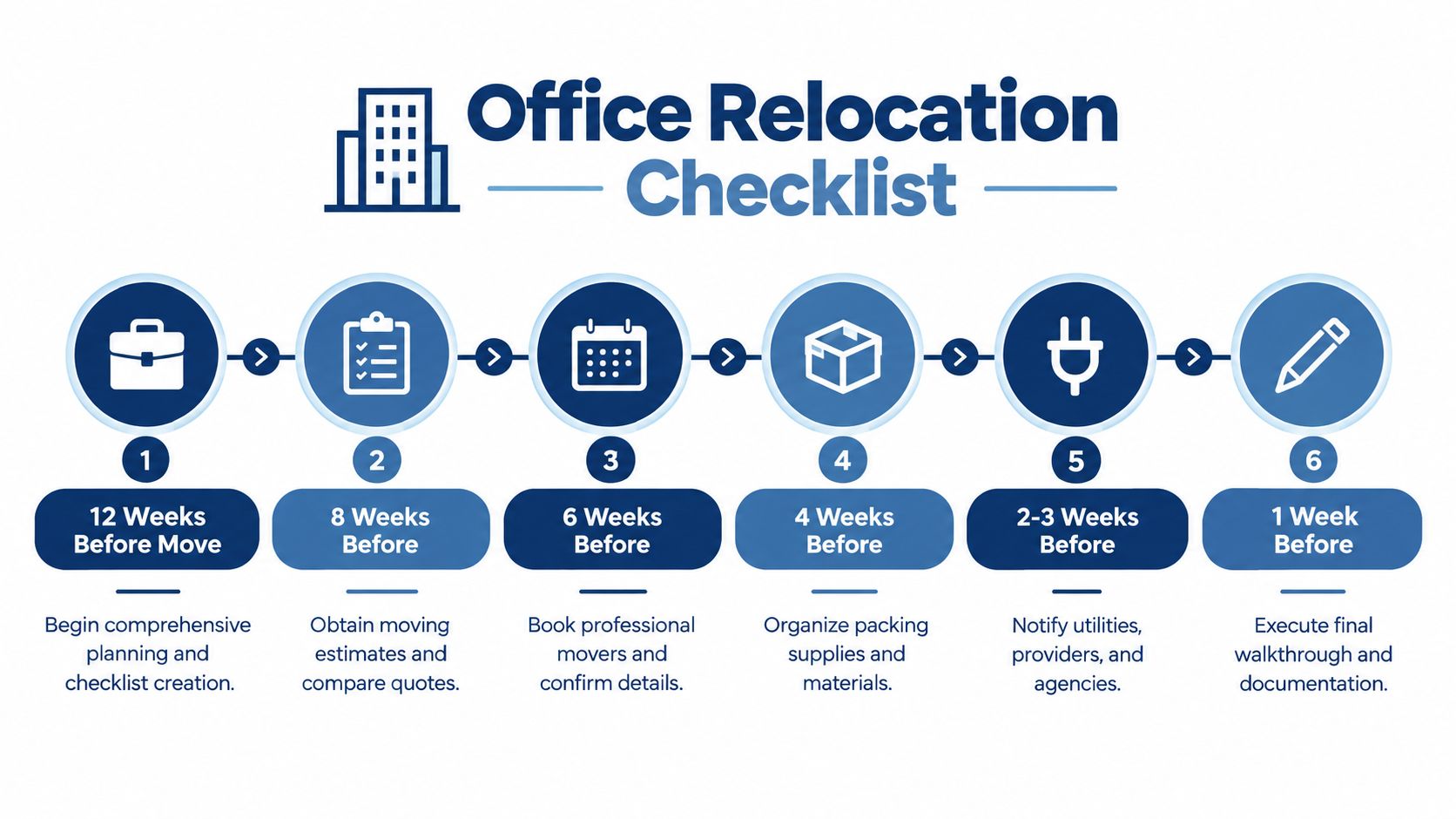
The first relocation decision sets every downstream dependency. Work backward from the move date, anchoring the schedule to lease expiration, telecom installation windows, furniture lead times, and building requirements rather than treating the date as arbitrary.
Your master timeline should track landlord notices, floor-plan approval, vendor bookings, utility changes, address updates, furniture decisions, IT preparation, packing deadlines, access reservations, and post-move verification. Mark tasks that can delay the first working day, such as internet activation, security access, construction completion, and lease-exit work.
A mid-sized office commonly uses phased lead times of 12 weeks for offices with 11 to 50 staff, increasing to 16 to 20 weeks when the project includes a server room, multiple departments, or a new lease build-out, according to this office move scheduling guide. A short local move still needs early decisions when several vendors or building approvals share the critical path.
Build one source of truth
Use Asana, Monday.com, Microsoft Planner, or a shared spreadsheet. Each task needs a status, owner, deadline, dependency, and evidence of completion. Color coding can help, but clear accountability matters more than visual polish.
Track separate workstreams for:
Facilities: floor plans, furniture, building rules, loading areas, keys, and restoration.
IT: equipment inventory, backups, cabling, internet, phones, testing, and cutover.
People: employee notices, seating, work-from-home arrangements, and first-day support.
Finance and legal: budget approvals, lease obligations, insurance, deposits, and vendor contracts.
2. Obtain Written Moving Estimates and Compare Quotes
A verbal estimate isn't a usable project document. Request a written scope that explains what the mover will transport, pack, dismantle, protect, store, install, and exclude. The estimate should identify labor, materials, travel, specialty handling, access limitations, storage or POD work, and the conditions that could change the price.
Ask each mover to review the same information. Provide floor plans, department counts, furniture dimensions, equipment requirements, elevator or loading dock restrictions, destination access rules, and the preferred move window. A virtual or in-person walkthrough is more reliable than a rough description over the phone.
Compare scope, not just price
A lower quote may exclude packing, furniture disassembly, reconnecting workstations, protective materials, long carries, stairs, waiting time, or specialty equipment. A higher quote may include services that reduce internal labor and protect the first working day. Compare the deliverables line by line before choosing.
Check the following in writing:
Crew and schedule: Confirm the crew size, arrival window, move date, and supervision.
Protection and liability: Ask how floors, doors, elevators, furniture, and sensitive equipment will be protected.
Credentials and insurance: Verify the mover's licensing, insurance, and published credentials. Webster Moving Co. lists TxDMV No. 010210868C and USDOT 4470107 on its website.
Change conditions: Ask how additional work, delays, access problems, and storage are charged.
For a no-obligation estimate, use the Webster Moving Co. quote form and provide enough detail for the team to scope timing, crews, and materials accurately.
3. Declutter, Downsize, and Organize Belongings
A smaller, better-planned move reduces handling time, storage needs, and first-day setup work. Start with a department-by-department audit of desks, chairs, filing cabinets, monitors, printers, cables, archived records, kitchen equipment, signage, and stored materials. Give each item one decision: relocate, reuse, donate, recycle, dispose of, sell, or store temporarily.
Space decisions should follow the approved layout and working pattern. Keeping obsolete furniture can crowd the new office, while disposing of useful equipment too early can create replacement costs. Review office relocation utilization guidance when deciding how much seating, storage, and equipment the new footprint can support.
Set a cutoff date for decisions and record the result in a disposition register. Include the asset owner, current location, proposed destination, approval status, and removal deadline. That register gives the mover a reliable scope and prevents unplanned items from appearing on move day.
Use these controls:
Keep: Items that fit the approved layout and still support daily operations.
Donate or recycle: Usable furniture and equipment that will not be needed at the new site.
Sell: Assets with resale value, provided advertising and removal will not delay the move.
Store: Items needed later, only after an owner confirms the storage period, cost, and retrieval process.
Finance should confirm whether equipment remains on the asset register. IT should decide whether devices require secure wiping, redeployment, recycling, or retention as spares. Legal or records management should approve document disposal before staff discard files.
Do not allow untracked “maybe” piles. Assign every undecided item an owner, a decision date, and a temporary location. A clear disposition decision is cheaper to manage than moving uncertainty into the new office.
4. Book Professional Movers and Confirm Details
Once the scope is stable, book the mover with a signed agreement and a written description of the work. Confirm the move date, start time, crew plan, truck requirements, supervisor, loading sequence, destination contacts, and special handling instructions. The mover can't plan safely around information that remains in email fragments or informal conversations.
Webster Moving Co. is a locally owned and operated company based in Round Rock, Texas, serving Greater Austin and Central Texas. Its published service coverage includes North Austin, South Austin, Round Rock, Georgetown, Cedar Park, Leander, Pflugerville, Liberty Hill, Hutto, Kyle, and San Marcos. It provides residential and commercial relocations, packing, storage and POD moves, and specialty handling.
Give the mover operational detail
Send building rules before the booking is final. Include loading dock hours, elevator dimensions, parking restrictions, access codes, security procedures, floor protection requirements, certificate-of-insurance requirements, and any areas that can't be used. Identify servers, safes, pianos, antiques, large appliances, fragile equipment, and other items that need specialist planning.
Name a move coordinator on your side and a point of contact at each building. That prevents employees, vendors, and movers from receiving conflicting instructions. Request an email confirmation that records the agreed scope, timing, access arrangements, packing responsibilities, and escalation contact.
5. Plan IT, Utilities, and Service Cutovers
Set the technology cutover before desks, files, and teams arrive. A relocation source estimates that IT infrastructure and technology may represent 20% to 25% of a mid-size office relocation budget, while tenant technology costs rose 8.3% year over year, as reported in this office relocation cost guidance. Budget separately for cabling, internet, phones, network equipment, security systems, backups, and testing so these costs do not appear as late surprises.
Assign one IT owner and one facilities owner. Create a service register covering electricity, water, gas, internet, voice and mobile service, access control, alarms, printers, waste collection, cleaning, postal services, insurance, banking, payroll, subscriptions, and government records. For each item, record whether it will transfer, disconnect, be replaced, or run temporarily at both sites.
Build a cutover runbook
Write the sequence as an operational handoff. Name the person who disconnects equipment, transports it, installs it, restores configurations, and tests the result. Photograph and label network equipment before removal. Back up critical systems, then verify recovery on a test device or separate environment.
No service is ready until a named person has tested it.
Schedule work within the agreed move window and define an escalation channel for failures. Before employees return, test internet access, phones, Wi-Fi, printing, authentication, conferencing, power, access control, and business-critical applications. Confirm that staff can reach required systems from the new office, not merely that equipment powers on. Keep temporary connectivity available if the primary internet service or authentication system fails.
6. Audit Furniture, Equipment, and Packing Supplies
Start with fit, not freight. Measure desks, cabinets, conference tables, appliances, printers, racks, and other large items, then compare those dimensions with doorways, elevators, corridors, loading docks, stairwells, and the rooms at the new site. A piece can fit on paper and still fail at a turn, a lift, or a narrow entrance.
Use the audit to decide what moves, what gets donated or disposed of, what stays in storage, and what needs replacement. It also shows where the new office is short. A department may need more monitors. A conference room may need different cabling. The reception desk may just be the wrong size for the new layout.
Packing is a labor decision as much as a materials decision.
Internal packing lowers vendor spend, but it pulls staff away from normal work and can lead to inconsistent labels. Professional packing costs more than asking employees to box their own workspaces, but it is often the safer choice for fragile equipment, confidential files, tight lease deadlines, or teams that cannot lose billable time.
Match supplies to the assets, and avoid generic boxes for everything:
General materials: Strong boxes, quality tape, labels, markers, and protective wrap.
Technology protection: Anti-static materials, manufacturer packaging where available, cable ties, and marked containers for devices.
Furniture protection: Pads, corner guards, stretch wrap, and hardware bags tied to the right item.
Labeling materials: Department codes, destination rooms, priority marks, and handling instructions.
A move estimate is only useful if the asset list behind it is current.
Build the asset list before you request the final quote. That gives your team and the mover a clear scope and helps prevent surprise costs when the truck is already booked.
7. Create an Inventory and Document High-Value Assets
Your inventory should support four jobs: asset control, insurance, claims, and unpacking. Record the department, item description, quantity, condition, serial number, model, owner, destination, and replacement value where relevant. For technology, include laptops, monitors, servers, network devices, printers, phones, access-control equipment, and audiovisual systems.
Photograph high-value items from multiple angles before packing. Capture serial numbers, existing marks, accessories, and the condition of screens, cabinets, cases, and other vulnerable surfaces. Store the inventory and photographs in cloud storage that the move coordinator can access even if the old office network is already disconnected.
Keep critical records separate
Create a controlled list for items that must not enter general moving boxes. Examples include access cards, keys, backup media, contracts, company seals, financial records, credentials, and essential chargers. Assign custody to a named employee and record the handoff.
For specialty assets, document the condition before the mover handles them. Webster Moving Co. provides information about specialty item handling, which is relevant when the office includes bulky or delicate pieces such as safes, antiques, pianos, or large appliances.
Don't rely on a single paper copy. Keep the live inventory digital, print a working copy for move-day exceptions, and preserve delivery evidence with the project records. A complete record makes it easier to identify missing items before the team settles into the new space.
8. Notify Employees, Clients, Vendors, and Building Management
A move fails fast when people are left guessing. The notice plan should tell each group what changes, when it changes, and who owns the next step. Employees need packing rules, workstation assignments, personal-item limits, downtime expectations, remote-work instructions, access details, and a clear way to report issues.
Clients and vendors need the new address, the effective date, delivery instructions, a temporary contact method, and any period when the office will not receive visitors or shipments. Building management and security need crew names, vehicle details, the loading schedule, access requirements, elevator reservations, and the protection plan.
Use audience-specific messages
One announcement rarely answers every question. Publish a simple move calendar, then send targeted reminders as deadlines approach.
Employees: Explain what to pack, what not to pack, how labels work, and when the new workspace opens.
Clients: Update invoices, contracts, email signatures, directories, maps, and visitor instructions.
Vendors: Change shipping records, purchase-order details, service addresses, and delivery windows.
Building teams: Confirm access, loading, security, cleaning, keys, badges, and handover requirements.
Name one move-day communications lead. That person should send the first-day update, confirm access and network status, and note unresolved issues. Clear messages reduce hallway confusion and stop employees from creating their own workarounds.
9. Arrange Parking and Access for Moving Day
A truck can't complete a move from a space it can't reach. Confirm parking, loading dock access, elevator reservations, security procedures, access codes, stair restrictions, and move-hour rules at both buildings. Get written confirmation from property management instead of relying on a phone conversation that no one can verify on move day.
For offices, an after-hours or weekend window may reduce disruption, but it can require additional building coordination and security coverage. During-business-hours moves may be easier for internal staff, yet they create more conflict with employees, visitors, deliveries, and normal building operations. Choose the window that best protects continuity, then document the trade-off.
Prepare a fallback route
Keep a backup parking or loading plan if the primary space is occupied. Confirm who can authorize a change, where the truck should wait, and how the mover will reach the building if the dock becomes unavailable. Give the coordinator contact details for both property managers and the building security desk.
Check the physical route before the truck arrives. Remove obstacles, protect shared areas, verify elevator dimensions, and make sure access cards or keys work. For multi-floor offices, provide the floor plan and destination labels to the origin and destination coordinators. The mover should never need to guess where a department's boxes belong.
10. Pack by Department and Protect Business Continuity
A working office cannot be packed like a storage unit. Department by department, sort boxes by what keeps people productive on day one, not by what is easiest to load. Archive material, decor, spare chairs, and other low-use items can go first. Daily workstations, active files, chargers, core devices, and first-day supplies stay back until the final practical window.
Label every carton with the destination, department, contents, fragility, and priority. gives the crew more direction than “Box 14.” Put the label on more than one side so it stays visible when boxes are stacked.
Pack for the first workday, not for the truck ride.
Create one OPEN FIRST container for each department, plus a central essentials kit. Put chargers, adapters, stationery, cleaning supplies, basic tools, critical paperwork, access details, and anything needed before full unpacking is done in those containers. Keep sensitive documents and high-value devices under controlled custody instead of mixing them into general cartons.
Use a simple control method for the handoff. Record the box range for each department in the master inventory, keep dense materials in smaller boxes, and place lighter items in larger ones. Photograph assembled furniture before disassembly, then tape the labeled hardware bag to the item it belongs to. Mark equipment and documents that IT or leadership must find immediately.
If internal teams cannot pack to the same standard, Webster Moving Co. offers professional packing services for offices and other relocations. That option helps when fragile equipment, confidential records, or a compressed schedule makes improvised packing too risky.
11. Run the Move-Day Handoff and Post-Move Verification
Appoint one coordinator at each site. The origin lead confirms the truck, access, final packing, room clearance, special handling, and protection for floors and walls. The destination lead checks unloading routes, department locations, floor plans, workspace priorities, network-room access, and placement instructions for priority equipment.
Give both leads a handoff sheet. Log truck arrival, loading completion, delivery arrival, exceptions, damaged or missing items, and decisions made during the move. Photograph room condition, loaded areas, and delivered items while the work is underway.
Do not declare the move complete until the old site is cleared and the new site passes a working-day check.
At the old office, inspect closets, cabinets, storage areas, kitchens, loading zones, shared spaces, and rooms missed during the normal walk-through. Record meter readings, utility status, keys, access cards, building damage, cleaning, and restoration obligations. Include lease-exit costs, restoration duties, CAM charges, security deposits, compliance items, and downtime risks in the exit file. This commercial office relocation checklist can support that review.
At the new office, verify four areas:
Physical delivery: Match furniture, cartons, devices, and specialty items against the inventory.
Building readiness: Test doors, badges, elevators, lighting, power, alarms, and signage.
Technology: Test internet, phones, Wi-Fi, printing, conferencing, access control, and priority applications.
Employee readiness: Walk through each department with its lead before normal work resumes.
A department may discover on day one that several access cards were left at the old office. That failure can delay staff, complicate security, and disrupt client work even when every carton arrived. Report missing items and damage promptly, obtain written building sign-off where possible, retain the project file, and assign owners and deadlines for unresolved technology, furniture, access, and lease tasks.
11-Point Office Relocation Checklist Comparison
Item | Implementation complexity | Resources required | Expected outcomes | Ideal use cases | Key advantages |
|---|---|---|---|---|---|
Create a Comprehensive Moving Timeline and Checklist | Moderate, front-loaded planning and weekly reviews | Time, project-management tool or spreadsheet, stakeholder coordination | Reduced last-minute tasks, coordinated crew schedules, clear milestones | Office relocations; complex residential moves (3+ rooms) | Early conflict detection, accountability, smoother scheduling |
Obtain Written Moving Estimates and Compare Quotes | Low–Moderate, contact and review multiple vendors | Time, access to movers, in-home or virtual walk-throughs | Transparent pricing, accurate budgeting, service comparisons | Budget-sensitive moves; specialty-item relocations | Eliminates surprises, written commitments, clearer cost breakdown |
Declutter, Downsize, and Organize Belongings | Moderate–High, time-consuming sorting and decisions | Time, donation/sale coordination, sorting supplies | Reduced volume and costs (≈15–30%), faster packing/unpacking | Large homes; office downsizing; cost-reduction initiatives | Lowers moving fees, simplifies unpacking, environmentally beneficial |
Book Professional Movers and Confirm Details | Low–Moderate, administrative booking and confirmations | Deposit/payment, contract, access and specialty details | Secured move date, trained crew, lower damage risk | Peak-season moves; commercial relocations; specialty items | Reliability, insured protection, minimized downtime |
Plan IT, Utilities, and Service Cutovers | High, multi-vendor coordination and scheduling | IT and facilities owners, vendor contacts, scheduling tools | Continuous services, minimized downtime, documented cutovers | Office moves where network/phone continuity is critical | Prevents service gaps, protects operations, reduces billing issues |
Audit Furniture, Equipment, and Packing Supplies | Moderate, measurements and asset checks | Measuring tools, packing materials list, time for audits | Correct materials ordered, appropriate disposition, space fit | Moves involving large furniture/equipment; new-space planning | Prevents unsuitable moves, protects items, improves layout planning |
Create an Inventory and Document High-Value Assets | Moderate–High, detailed cataloging and photography | Camera/phone, spreadsheets or apps, cloud backup | Easier claims, faster locating, insurance support | Moves with valuable assets or extensive IT equipment | Strong documentation for claims, faster reconciliation, organized unpacking |
Notify Employees, Clients, Vendors, and Building Management | Moderate, communications planning and execution | Communication channels, move calendar, assigned owners | Reduced confusion, maintained relationships, clear expectations | Business relocations; multi-stakeholder moves | Improves readiness, accountability, protects client/vendor relations |
Arrange Parking and Access for Moving Day | Moderate, permits and building coordination | Parking permits/fees, building contacts, advance reservations | Smooth truck access, fewer delays, regulatory compliance | Urban or condo moves, downtown office relocations | Avoids fines/delays, ensures access, shortens move time |
Pack by Department and Protect Business Continuity | Moderate, sequencing, labeling, and discipline | Packing supplies, labels, departmental coordination | Faster unpacking, preserved operations, protected equipment | Office moves needing phased transfers or minimal downtime | Organized unpacking, minimizes downtime, safeguards critical items |
Run the Move-Day Handoff and Post-Move Verification | Moderate, checklists, inspections, and documentation | Coordinators, cameras, inventory records, time for walkthroughs | Accountability, documented conditions, prompt issue resolution | Moves where deposits/claims matter; commercial relocations | Reduces disputes, confirms services, supports damage claims |
Turn the Checklist Into a Controlled Handoff
An office move succeeds when the business can work at the destination, not merely when the truck is empty. Convert this checklist into one shared tracker that everyone uses. Each row should identify the task, owner, deadline, dependency, current status, and confirmation. Facilities shouldn't assume IT has tested the network, and IT shouldn't assume building management has activated access. Write the handoff down.
The highest-risk controls deserve direct management attention:
Written scope and pricing: Confirm what the mover will do, what your team will do, and what could create additional charges.
IT and service cutovers: Back up systems, schedule connectivity, protect equipment, and test essential services before employees return.
Furniture and asset decisions: Measure the destination, remove obsolete items, and document what moves, stays, gets recycled, or goes into storage.
Employee communication: Give departments clear packing rules, seating information, access instructions, and a first-day contact.
Building access: Reserve parking, loading docks, elevators, security coverage, and the routes needed for both buildings.
Labeled packing: Use department and destination labels, control sensitive items, and prepare essentials for the first working day.
Post-move verification: Compare deliveries with the inventory, test the new office, document the old premises, and close lease and utility obligations.
Longer planning horizons are associated with higher move satisfaction, and one relocation source reports 31% higher satisfaction among companies with longer planning horizons. Businesses planning for at least 12 months tend to be more satisfied, according to the same office relocation best-practices source. That doesn't mean every office needs a year-long project. It means decisions made early give the team more options when construction, telecom, access, furniture, or lease issues appear.
Use the relocation to improve the operating model rather than reproduce the old office by habit. Confirm that the seating plan reflects actual work, that storage has an owner, that equipment is assigned, and that employees know how to use the new space. A move is also a useful point to close outdated vendor records, remove duplicate assets, and formalize recovery procedures.
When commercial moving, packing, storage or POD handling, or specialty-item support is relevant, request a no-obligation estimate from Webster Moving Co. through its website or by phone at 512-751-0893. The company provides commercial relocation support across Greater Austin and Central Texas, with licensed and insured crews and published credentials including TxDMV No. 010210868C and USDOT 4470107.
Don't sign off because the last box has crossed the threshold. Verify the new office's access, power, network, phones, equipment, workspaces, and employee instructions, then close the old site's lease and condition requirements with written evidence.
For an office relocation, Webster Moving Co. offers commercial moving, packing, storage and POD moves, and specialty-item handling that can support the physical and preparation work in this checklist. Visit Webster Moving Co. to request a no-obligation estimate and discuss your move scope, access requirements, and timing.
Comments